


Digitizing for a Single Needle Embroidery Machine
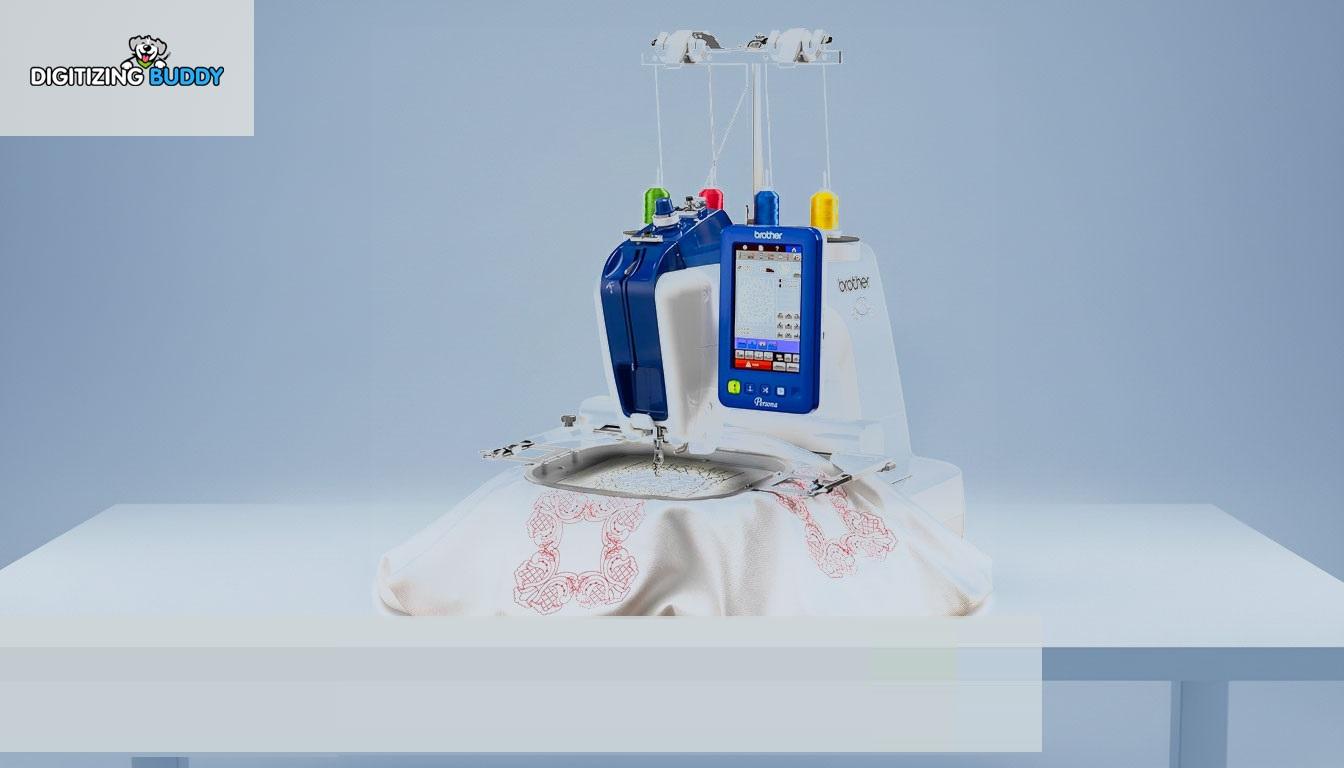
Digitizing For A Single Needle Embroidery Machine
Introduction
Starting embroidery with a single needle machine can feel exciting and overwhelming at the same time.
You upload a design, press start, and expect smooth stitching. But sometimes the result looks messy, thread breaks constantly, or the fabric puckers badly. Sound familiar?
The truth is, embroidery quality depends heavily on digitizing.
A design that runs perfectly on a commercial multi-needle machine may struggle on a single needle embroidery machine if it isn’t digitized correctly.
That’s why understanding digitizing for a single needle embroidery machine is so important.
Good digitizing helps your machine stitch cleaner, run smoother, and produce professional-looking embroidery without unnecessary frustration.
In this guide, we’ll explain how single needle machine digitizing works, common mistakes to avoid, and practical tips for achieving better embroidery results.
What Is Digitizing in Embroidery?
Embroidery digitizing is the process of converting artwork into a machine-readable embroidery file.
The digitized file tells the embroidery machine:
-
Where stitches go
-
Stitch direction
-
Stitch type
-
Thread color sequence
-
Density settings
Without proper digitizing, even a beautiful design may stitch poorly.
Why Single Needle Machines Need Special Attention
Single Needle Machines Work Differently
Unlike commercial embroidery machines, single needle machines handle one thread color at a time.
This means:
-
More manual thread changes
-
Slower production speed
-
Greater sensitivity to poor digitizing
Clean embroidery files help reduce interruptions and improve stitching performance.
Home Machines Have Different Limitations
Many single needle embroidery machines have:
-
Smaller hoops
-
Lower stitching speed
-
Less powerful motors
Digitizing must account for these limitations to avoid embroidery problems.
Importance of Clean Digitizing
Better Stitch Quality
Good digitizing creates:
-
Smooth stitch flow
-
Balanced density
-
Cleaner lettering
-
Better fabric stability
Poor digitizing often leads to uneven embroidery and thread breaks.
Reduced Machine Stress
Heavy or overly dense designs put extra pressure on smaller embroidery machines.
Optimized embroidery files help single needle machines run more efficiently.
At Digitizing Buddy, professional embroidery digitizing services create embroidery files optimized for smoother stitching on both commercial and single needle embroidery machines.
Common Problems in Single Needle Embroidery
Thread Breaks
Thread breaks are one of the most common issues caused by:
-
Excessive stitch density
-
Poor underlay
-
Incorrect tension
-
Bad digitizing
Fabric Puckering
Too many stitches in a small area can pull fabric tightly and create wrinkles.
Proper digitizing helps minimize fabric distortion.
Registration Issues
Misaligned stitches often happen when designs are not properly digitized for smaller embroidery machines.
Best Digitizing Practices for Single Needle Machines
Use Lower Stitch Density
Single needle machines usually perform better with lighter stitch density.
This reduces:
-
Thread tension problems
-
Needle stress
-
Fabric puckering
Simplify Complex Designs
Very detailed artwork may not stitch well on smaller embroidery machines.
Simple and bold designs often produce cleaner results.
Optimize Underlay Stitches
Underlay helps stabilize embroidery before top stitches are added.
Good underlay improves:
-
Design stability
-
Stitch appearance
-
Fabric support
Choosing the Right Fabric and Stabilizer
Stable Fabrics Work Best
Beginners often get better results using:
-
Cotton
-
Twill
-
Denim
Stretchy fabrics require more advanced stabilization techniques.
Use Proper Stabilizers
The right stabilizer supports fabric during embroidery and reduces movement.
Common stabilizers include:
-
Tear-away
-
Cut-away
-
Wash-away
Choosing the correct backing improves embroidery quality significantly.
Why File Size Matters
Smaller Designs Run Smoother
Large and heavy embroidery files may overwhelm some single needle machines.
Keeping designs optimized helps improve:
-
Stitch consistency
-
Machine speed
-
Overall embroidery quality
Best Needle and Thread Tips
Use Quality Embroidery Thread
Cheap thread often creates:
-
Fraying
-
Snapping
-
Uneven stitching
High-quality thread improves machine performance.
Change Needles Regularly
A dull needle increases friction and damages thread.
Fresh needles help maintain smooth stitching.
Why Testing Designs Is Important
Always Run a Test Stitch
Even professionally digitized files should be tested before final production.
Testing helps identify:
-
Density issues
-
Tension problems
-
Alignment errors
Think of it like test-driving a car before a long road trip.
How Proper Digitizing Improves Efficiency
Fewer Machine Stops
Optimized embroidery files reduce:
-
Thread breaks
-
Needle changes
-
Stitching interruptions
This saves time and frustration.
Cleaner Final Results
Professional digitizing creates embroidery that looks:
-
Sharper
-
Smoother
-
More professional
At Digitizing Buddy, embroidery digitizing specialists create production-ready embroidery files designed to run efficiently on single needle embroidery machines while maintaining excellent stitch quality.
Tips for Beginners Using Single Needle Machines
Start with Simple Designs
Avoid highly detailed logos when learning embroidery.
Simple designs help you understand:
-
Thread tension
-
Stabilizer use
-
Machine settings
Monitor Machine Speed
Running too fast can create thread tension issues.
Slower speeds often improve embroidery quality.
Keep Your Machine Clean
Lint buildup affects embroidery performance over time.
Regular cleaning improves stitch consistency and machine life.
Common Digitizing Mistakes to Avoid
Excessive Density
Too many stitches in one area can damage fabric and increase thread breaks.
Tiny Lettering
Very small text often becomes unreadable on embroidery machines.
Ignoring Fabric Type
Different fabrics require different digitizing adjustments.
What works on denim may fail on stretchy material.
Conclusion
Digitizing for a single needle embroidery machine requires balance, precision, and an understanding of machine limitations.
Good embroidery digitizing helps improve:
-
Stitch quality
-
Machine efficiency
-
Fabric stability
-
Overall embroidery appearance
By using lighter stitch density, proper underlay, quality materials, and optimized embroidery files, single needle machine users can achieve cleaner and more professional results.
With support from Digitizing Buddy, embroidery enthusiasts and businesses can create embroidery files optimized for smoother stitching, reduced thread breaks, and better embroidery performance on single needle machines.
FAQs
What is digitizing for embroidery machines?
Digitizing is the process of converting artwork into a stitch file that embroidery machines can read and stitch.
Why do single needle embroidery machines need special digitizing?
Single needle machines are more sensitive to heavy stitch density and poorly optimized embroidery files.
Can bad digitizing cause thread breaks?
Yes. Excessive density and poor stitch paths often lead to thread break issues.
What stabilizer works best for single needle embroidery?
The best stabilizer depends on the fabric type, but cut-away stabilizers are commonly used for stable embroidery results.
Why should embroidery designs be tested before production?
Testing helps identify tension problems, density issues, and stitching errors before final embroidery begins.
 Dutch
Dutch
 English
 Arabic
 French
 Spanish
 Portuguese
 Deutsch
 Turkish
 Italiano
 Russian
 Romaian
 Portuguese (Brazil)
 Greek
Greek